Pular para o conteúdo

App for Personal Trainers

The app that gets your students training the right way.

Build workouts on your phone. Your student trains with a rest timer and logs weight and reps — while you follow everything in real time.

See features

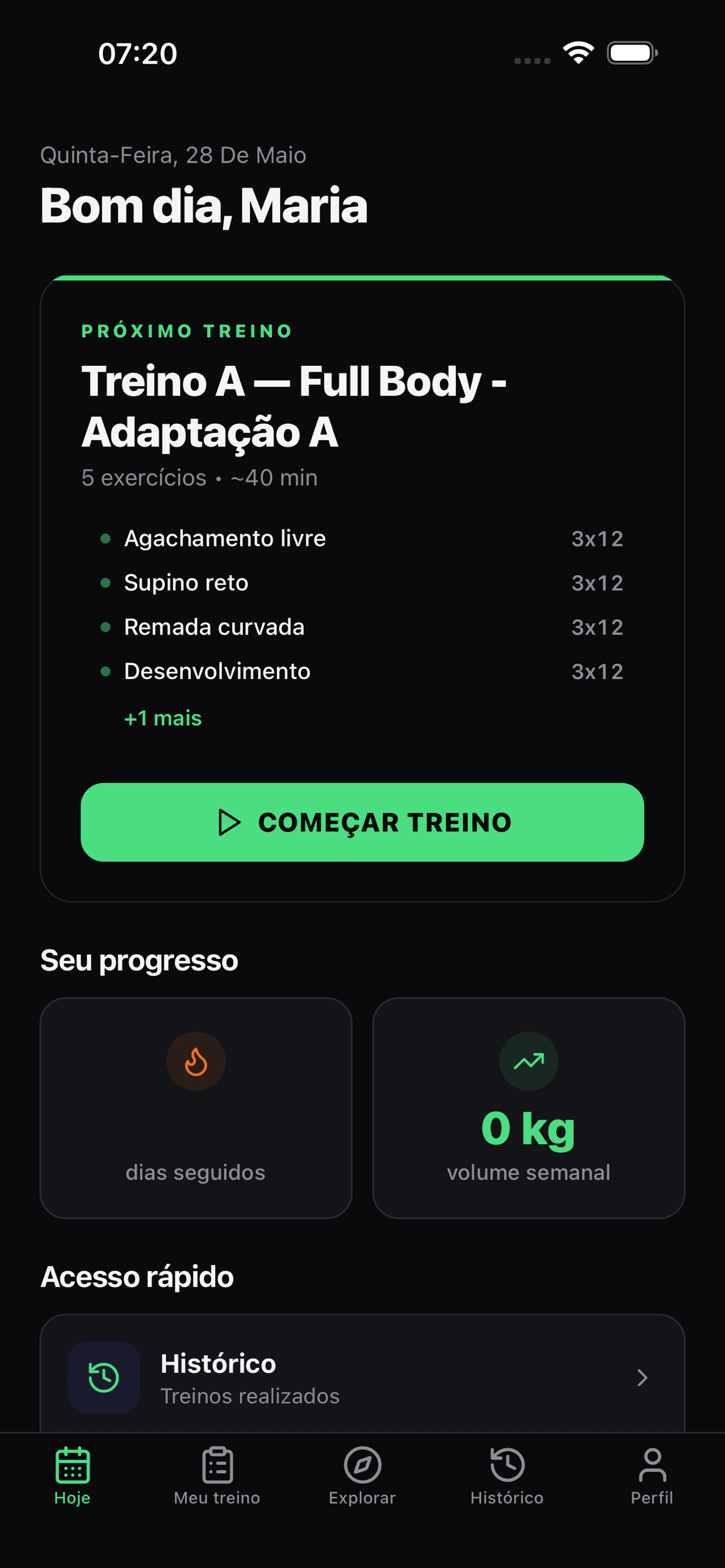
Dufit Today screen showing the student's next workout and the Start workout button

Who it's for

One app, two experiences.

Trainer and student use the same Dufit — each with the right interface for what they need to do.

Personal Trainer

Create exercises, build A/B/C workouts, schedule weekly plans. Follow every student's training in real time — no spreadsheets, no WhatsApp.

  • Exercise library with video and instructions
  • Visual workout builder on your phone
  • Weekly plan per student
  • History and strength progress

Student

Get your workout of the day, train with an automatic rest timer, log your weights. See your progress in clear charts.

  • Workout of the day right on the home screen
  • Automatic rest timer
  • Quick set and weight logging
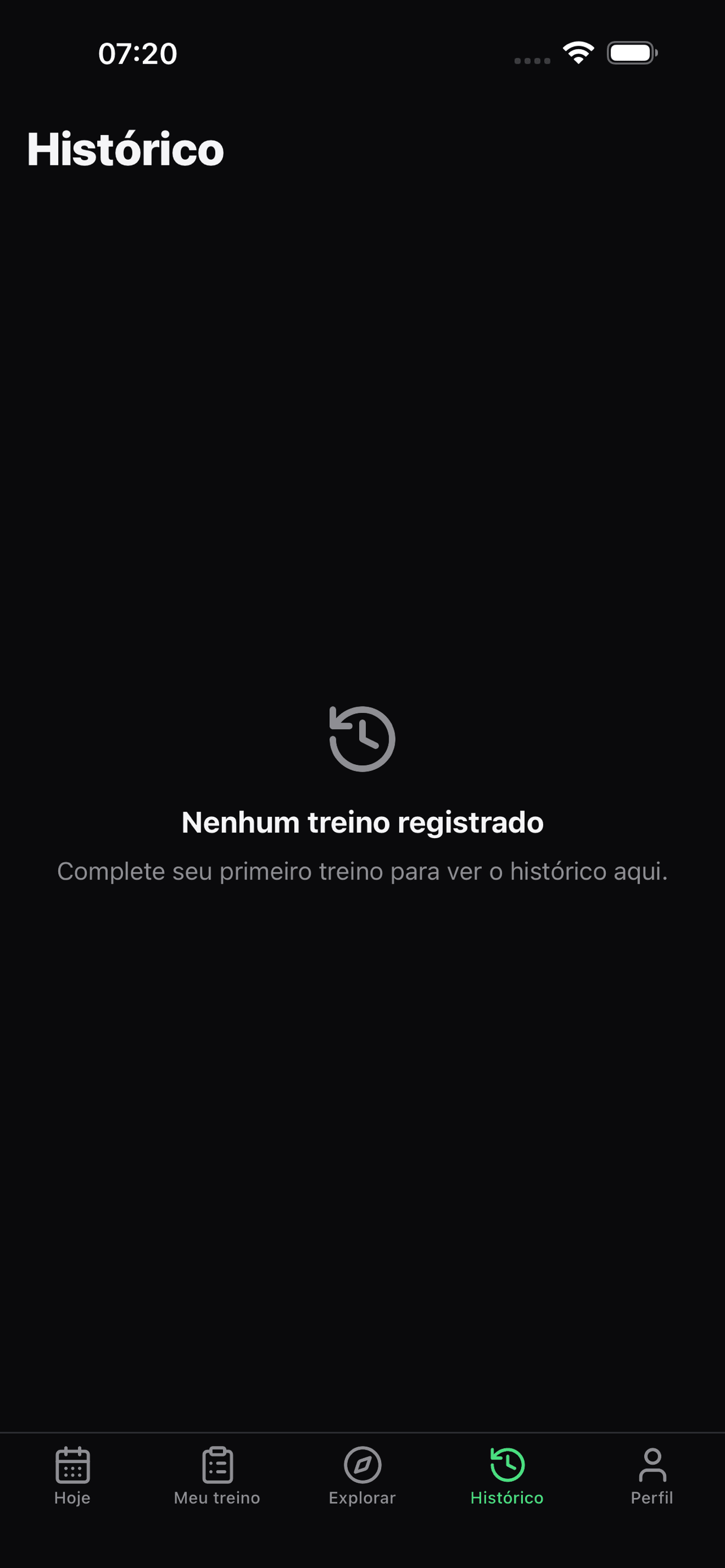
  • History of everything you've trained

Features

Everything you need to train your students.

No Excel spreadsheets, no PDFs, no WhatsApp. The workout lives in the app — your student just opens it and trains.

Exercise library

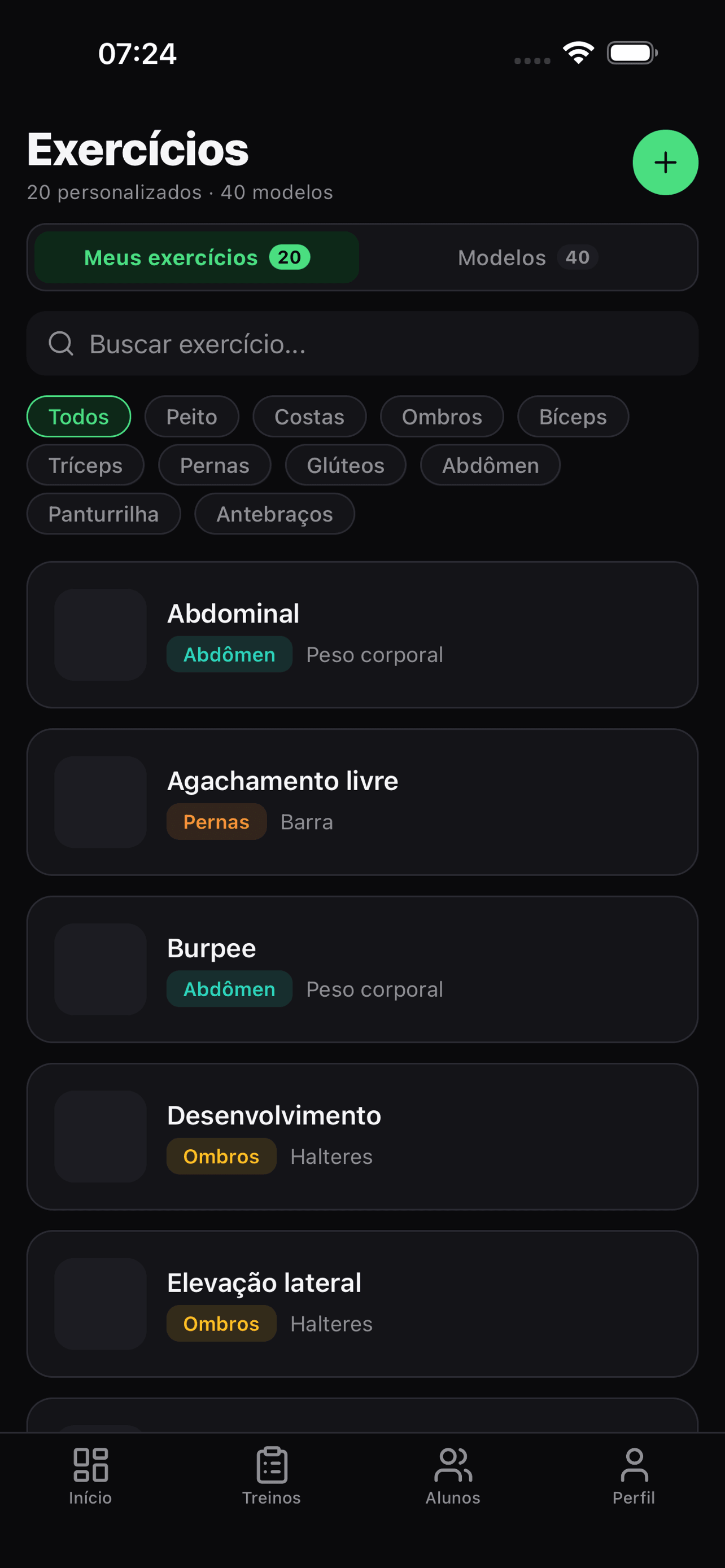
Register each exercise with a demo video, image and instructions. The library is yours — reuse it across every workout, for every student.

  • Video, image and instructions per exercise
  • Filter by muscle group
  • Reusable in any workout
Exercise library screen showing a list with names and muscle groups

Workout builder

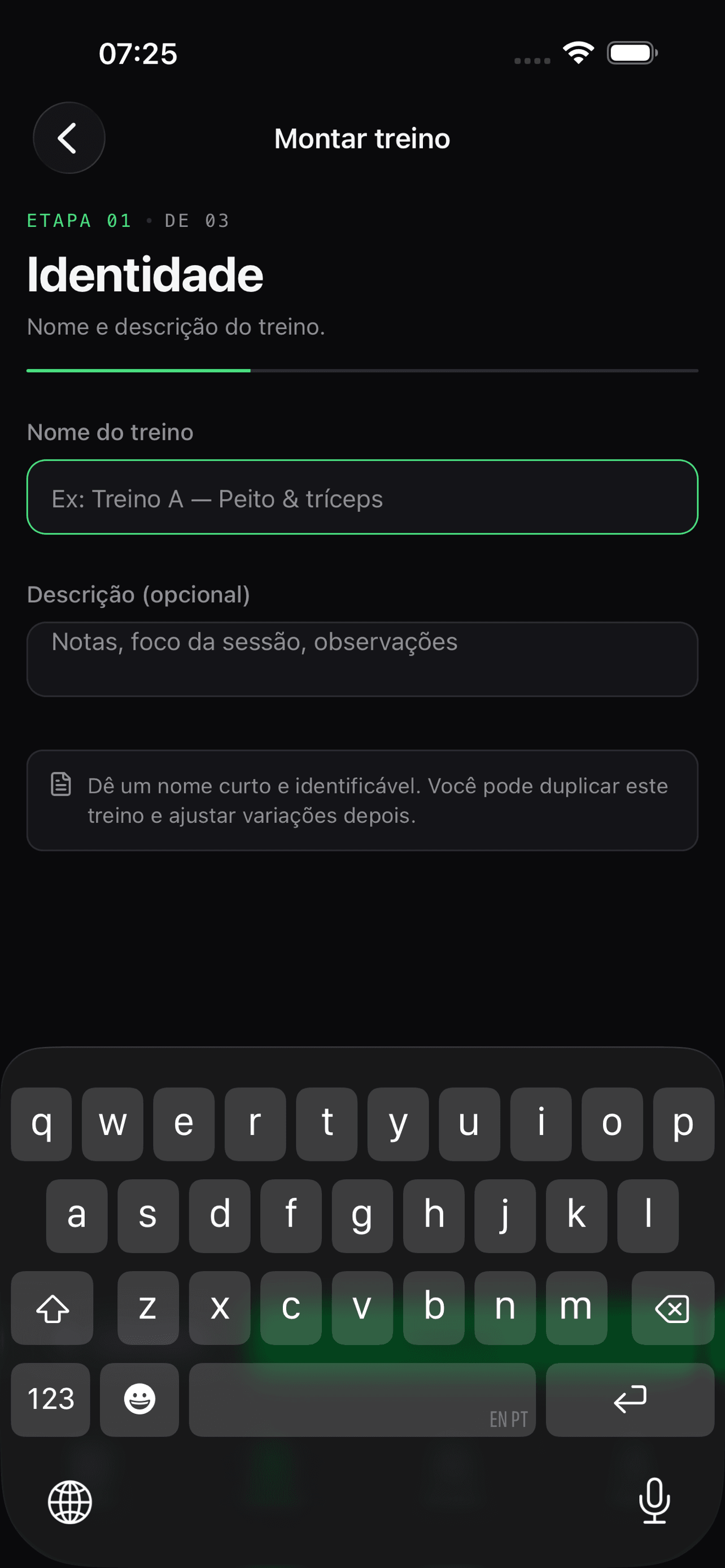
Build workouts A, B and C in minutes from your phone. Drag to reorder exercises, adjust sets, reps and rest right on screen.

  • Drag to reorder
  • Sets, reps and rest per exercise
  • Reusable templates across students
Workout builder screen showing exercises being organized

Weekly plans per student

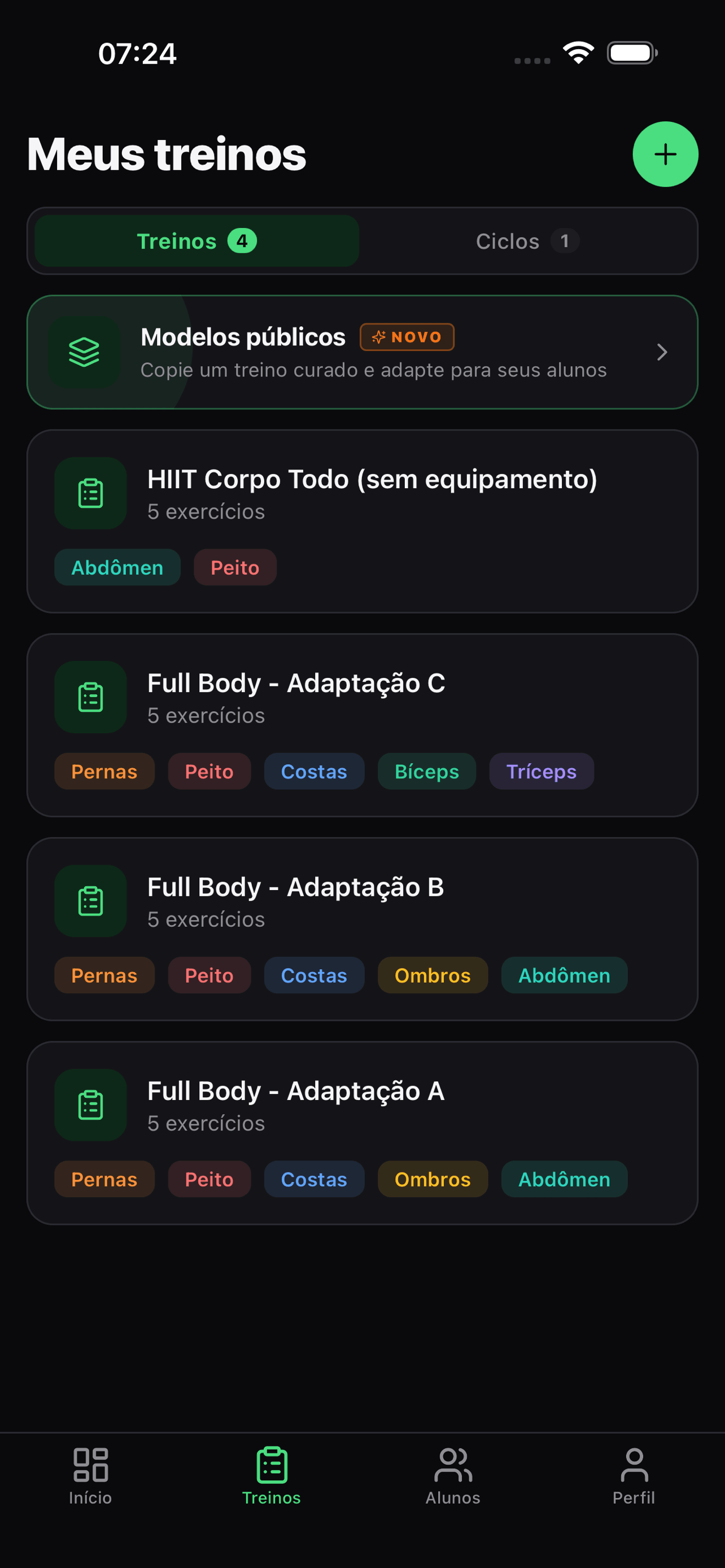
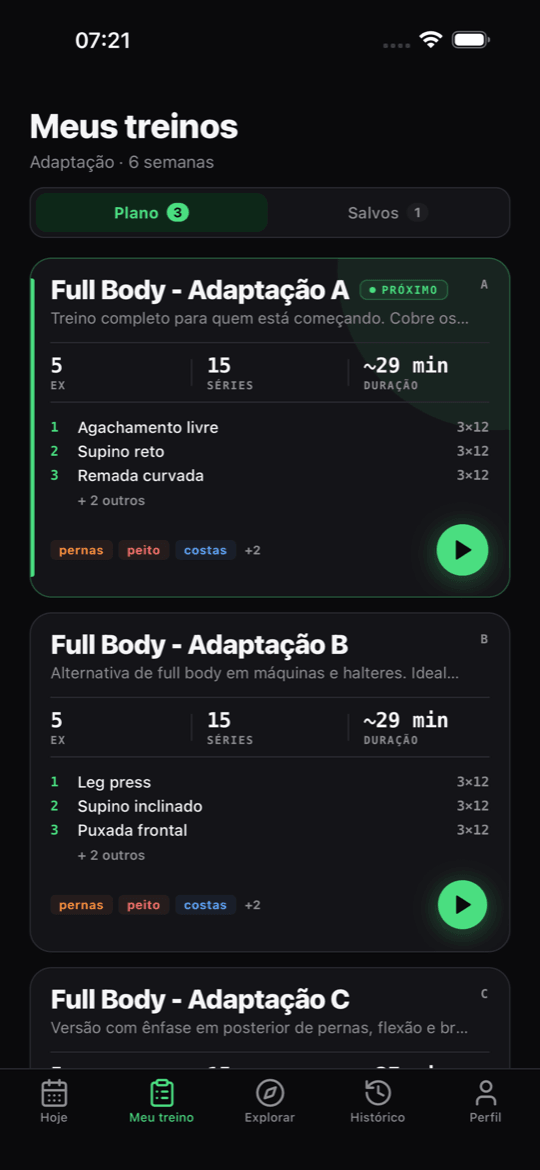
Schedule which workout your student does on each day of the week. They open the app and see only that day's workout — no confusion.

  • Visual weekly plan
  • Workout of the day up front
  • Editable anytime
Trainer's workouts and cycles screen, with the templates that become the student's weekly plan

Guided training with a timer

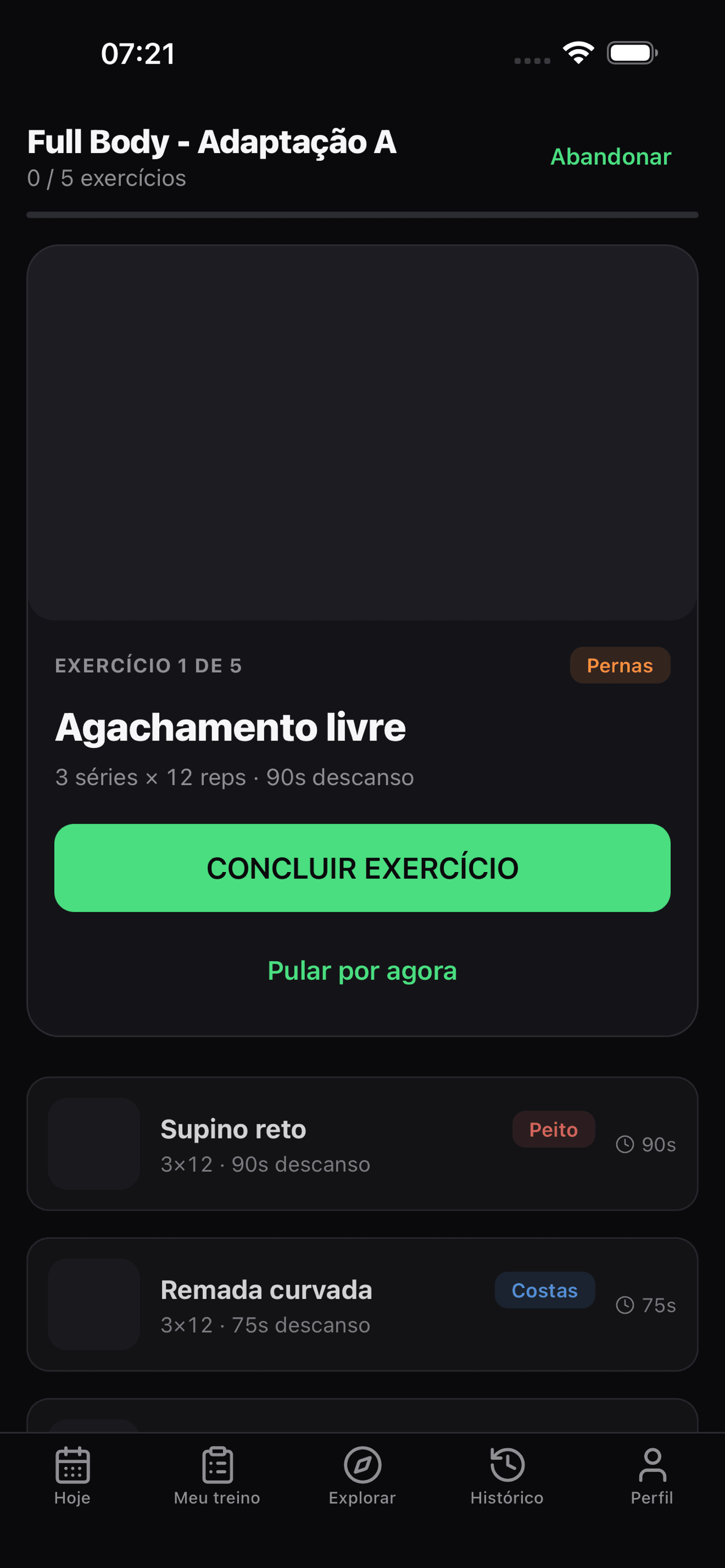
Your student sees the workout, logs each set, and the app starts the rest timer automatically. A vibration signals when rest is over.

  • Automatic rest timer
  • Weight, reps and RPE logging
  • Vibration when rest ends
Active workout screen with a rest timer and fields to log weight

History and progress

See weights, volume and frequency over time. Show your student how far they've come — more motivating than any pep talk.

  • Weight history per exercise
  • Monthly volume and frequency
  • Month-over-month comparison
History screen showing a strength progress chart

Invite students by email

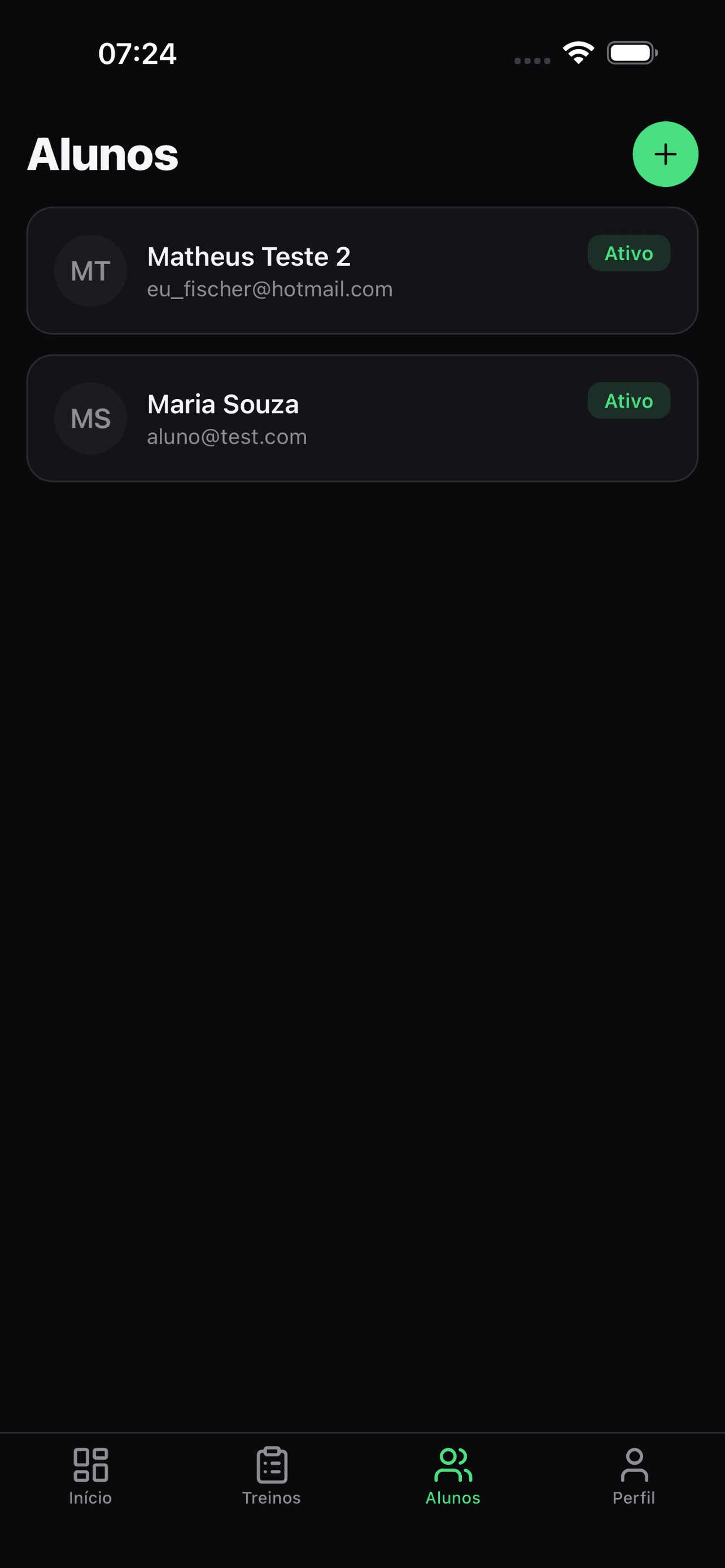
Type your student's email. They get an invite, download the app and are linked to your profile. No codes, no complicated links.

  • One-click email invite
  • Student links up when they download the app
  • Manage everyone in one place
Trainer's students screen showing the list with pending and active invite statuses

Inside the app

See Dufit from the inside.

From the trainer's dashboard to the student's training — swipe through the screens.

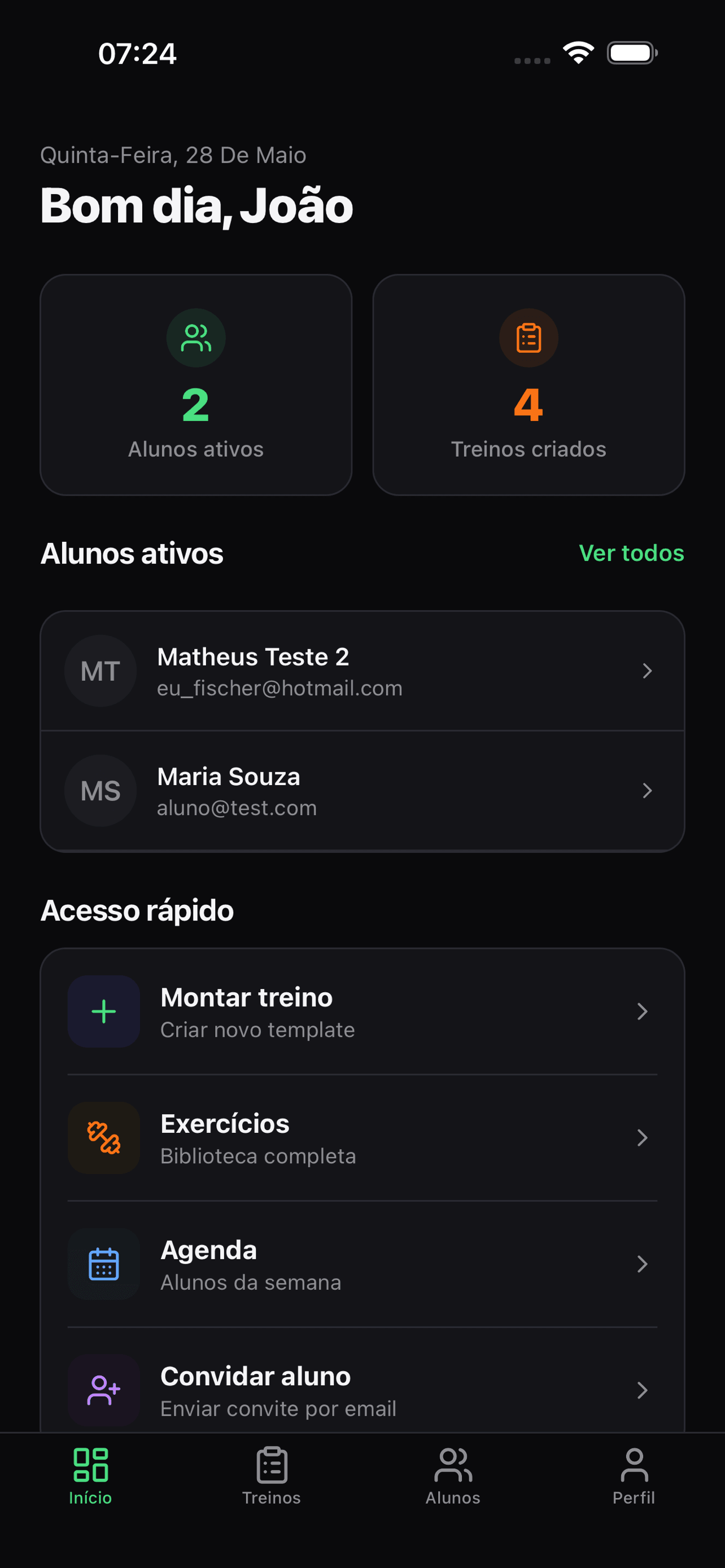
  • Trainer home screen with the day's schedule, active students and created workouts
    Trainer home
  • Exercise library screen with list, muscle groups and search
    Exercise library
  • Workout builder screen assembling a workout with sets and reps
    Workout builder
  • Trainer's workouts and cycles screen, the base for the student's weekly plans
    Workouts and cycles
  • Trainer's students screen with the list and pending and active invite statuses
    Your students
  • Student's Today screen with the next workout highlighted and the Start workout button
    Workout of the day (student)
  • Student's My workout screen showing the plan with the week's workouts
    My workout
  • Active workout screen with the rest timer and weight and reps logging
    Training with the timer
  • Student's history screen with completed sessions and strength progress
    History and progress

Fair pricing

Start free.

No monthly fee, no credit card to start. You only pay when your roster grows.

Starter Plan

Freeforever

  • First student free, forever
  • Unlimited exercises and workouts
  • Complete student history
  • Email invites
  • Email support

Detailed plans for more students available inside the app.

Frequently asked questions

Everything you need to know.

Do I have to pay anything to get started?
No. Dufit is free to start — your first student is free forever. You only subscribe to a plan if you want to add more students.
Does it work on iPhone and Android?
Yes. Dufit is available for iOS (iPhone) and Android. The same app works for trainers and students — the interface adapts automatically to your profile.
Does my student need to install the app too?
Yes. They install Dufit, receive an email invite from you and get linked to your profile. From then on, they see the workout of the day, train and log everything on their phone.
Can I use it with online students, outside the gym?
Yes. Dufit works in person or online — your student has the complete workout on their phone, with videos and instructions, and can train anywhere.
How does my student access the workouts I build?
You build the workout and schedule it in their weekly plan. When they open the app, the workout of the day is highlighted on the home screen, ready to start.
What if I have more than 1 student?
Your first student is free. To add more students, there are plans available inside the app — you only pay as you grow. No fixed monthly fee while you're still getting started.
Is my students' data safe?
Yes. Data is stored on secure servers in Brazil, encrypted in transit and at rest. We comply with LGPD, Brazil's data protection law. See our privacy policy (in Portuguese) for details.
Can I cancel whenever I want?
Yes. Cancel anytime from the app itself, with no lock-in and no penalty. You keep access until the end of the period you've already paid for.

Ready to get your students training better?

Download the app, create your account and invite your first student in under 2 minutes. Free forever for 1 student.